Save together.
Grow together.
A simple way for families and friends to save and borrow as a group, even when everyone lives far apart.
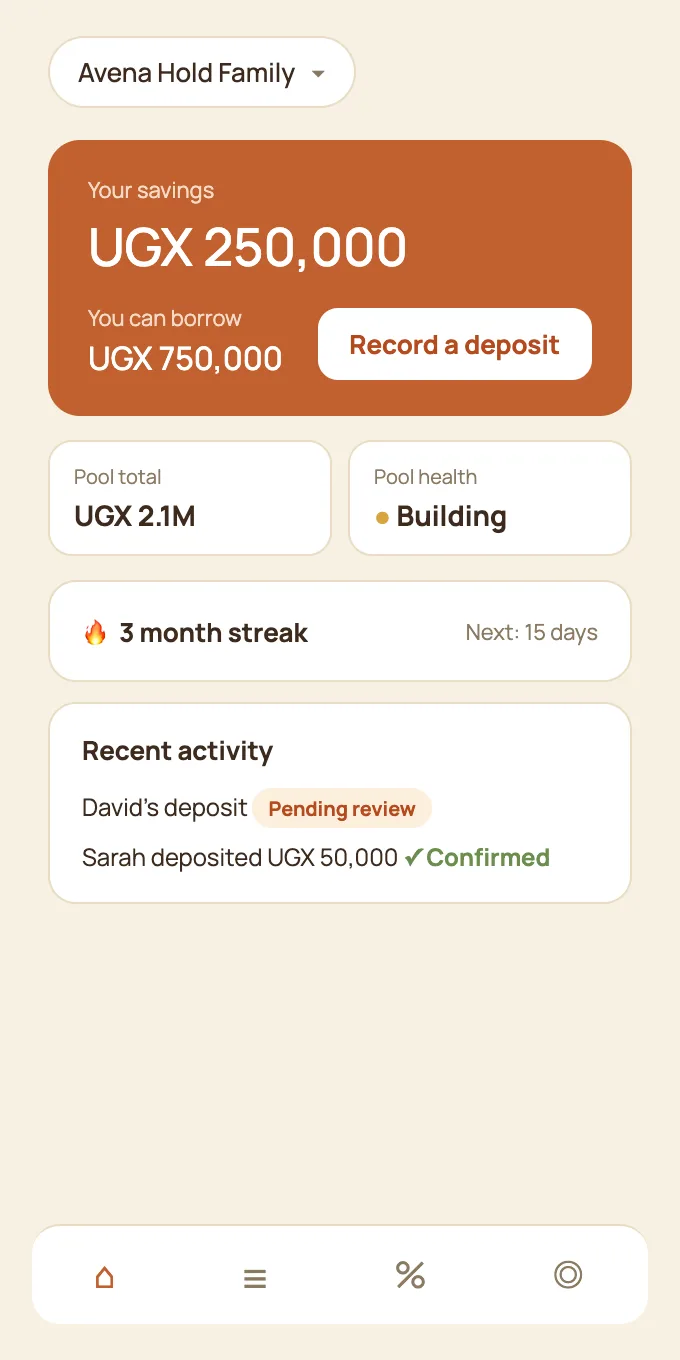
- See your savings and borrowing power instantly
- Loans stay within your own group, repaid with interest
- No weekly meeting required
Free to use. Sign in with Google.
Everything your group does, in one shared place.
Your group keeps saving and lending the way it does today. Here are the everyday challenges that saving groups meet, and how AvenaHold makes each one easier.
A shared record
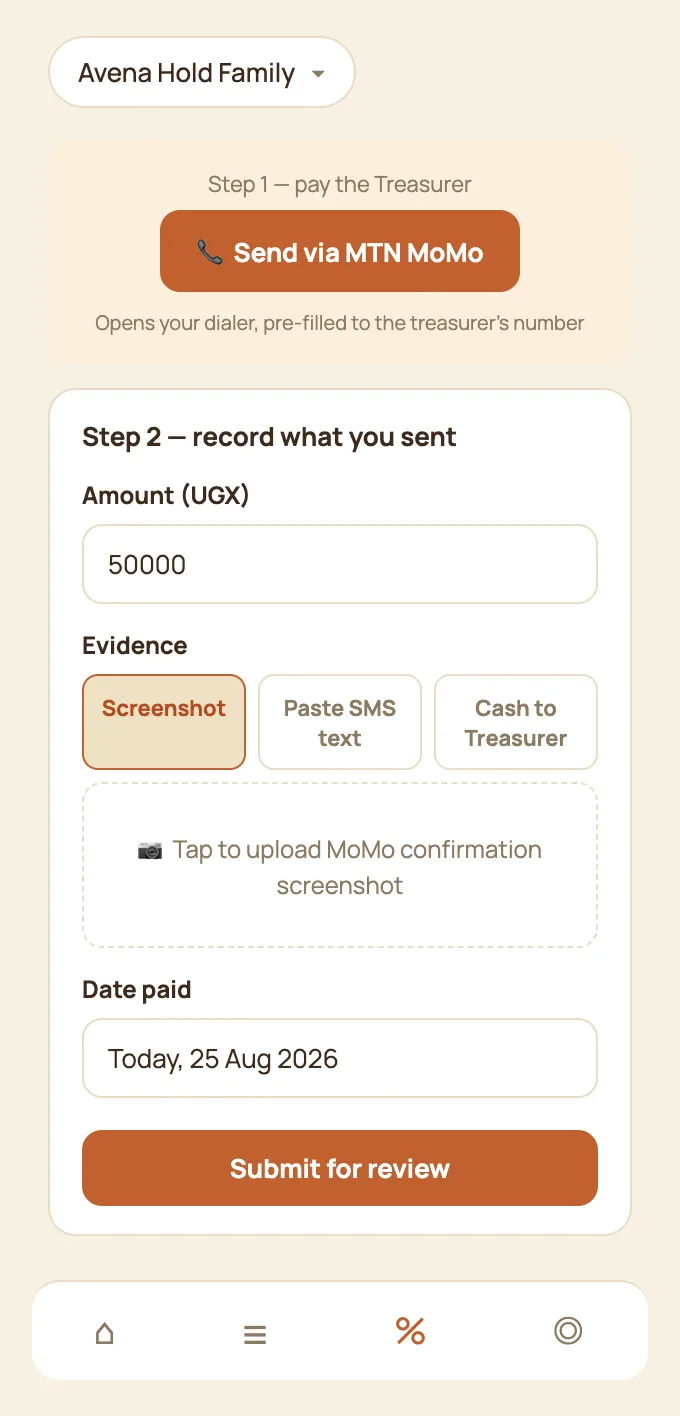
Records scattered across notebooks and chatsMembers record each deposit with proof, such as a screenshot of the mobile money message, the SMS text, or a photo for cash. Your Treasurer confirms it, and it appears for the whole group.
Loans and repayments
Tracking who owes what, and whenWhat a member can borrow follows what they have saved. Loans run as instalments, partial payments are welcome, and everyone can see where each loan stands.
Start with your history
Joining mid-way with years of savings already madeBring in what your group has already saved. Each member confirms their own figure, and imported history is clearly labelled, so you carry on from where you are.
Every member included
Members without smartphonesAdd a member who has a basic phone. Another member records their deposits and loan requests, clearly marked as done on their behalf. When they get a smartphone, they claim their own account and keep their history.
Open to everyone in the group
Members asking where the money standsYou set the group's payment details, such as MTN, Airtel or bank. Every change is logged and visible to all members. Confirmed records are never edited, and corrections are added as new entries.
Shared responsibility
One person carrying every task and every questionAppoint one or more Treasurers to review and confirm entries. You can keep financial review yourself or hand it over. The person who submits an entry is never the one who confirms it.
A share-out everyone can check
Share-out day calculationsEvery contribution and loan is recorded along the way, so the end-of-cycle share-out is a clear calculation that any member can follow.
Your own group chat
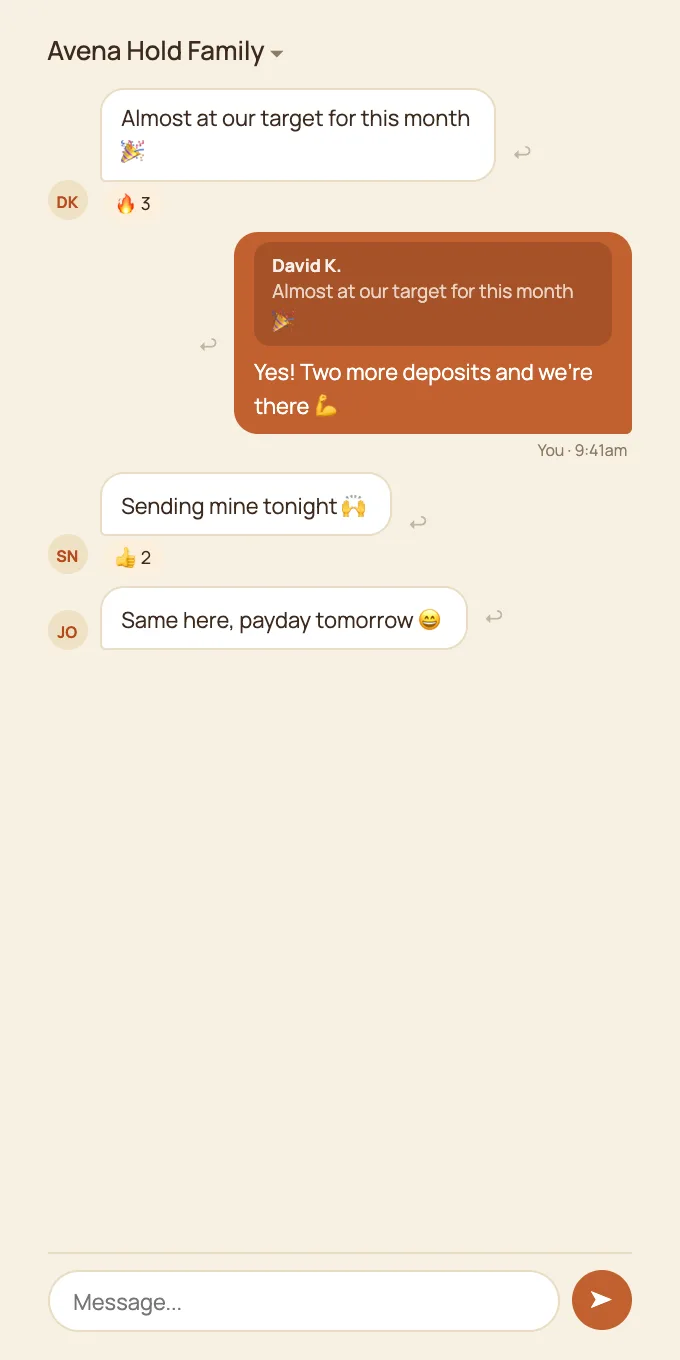
Updates lost in busy chatsA private chat for your group, with replies and reactions, sitting right next to the records. Conversations about contributions and loans stay where they belong.
Your money stays with your group. AvenaHold never holds, moves or touches your group's money. Members keep paying the way they already do, by mobile money, bank or cash. AvenaHold is the shared record, not a wallet or a bank.
The whole year at a glance.
Every member row opens to a strip of small squares, one for each month, for both savings and loans. Green shows a month with savings, and a darker green means a bigger contribution. Tap any square for the amount.
The two squares beside each name show this month at a glance, savings and loan. They update the moment a deposit is confirmed. Everyone is measured on the same calendar month, so the whole group reads from one timeline, and a quick look at the Members page shows who may need a friendly reminder.
A place for your members' businesses.
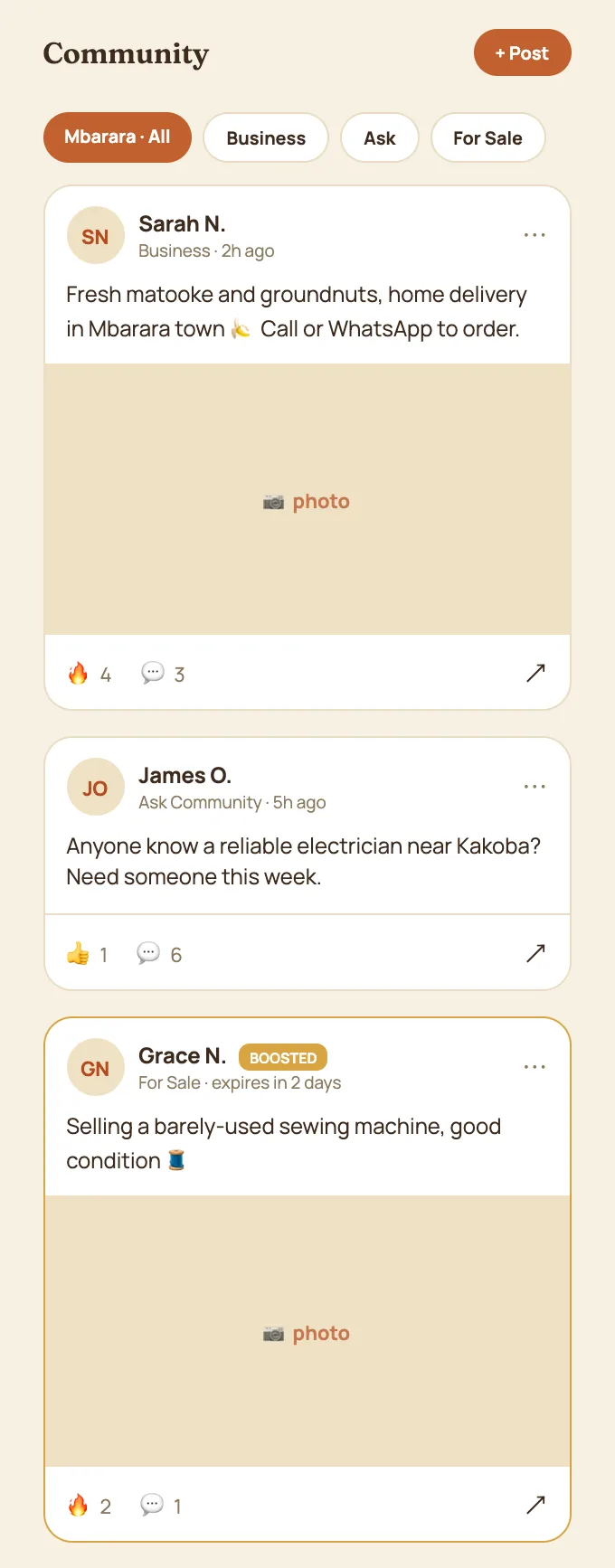
Many saving groups are full of people who run businesses. The Community space is open across groups, so members can share and ask.
Share your work
Members post about their business, announce events, ask the community a question, or list items for sale, with photos.
Be found across groups
The Community is open across groups, so a member's business can be seen by people beyond their own circle.
Set up your group in an afternoon.
-
Sign in
Use your Google account. There is no new password to remember.
-
Create your group
Name it, set the monthly saving target, and add where members should pay.
-
Invite members
Share one link on WhatsApp. Add members without smartphones yourself.
-
Bring in your history
Enter what the group already has. Each member confirms their own figure.
Who does what
| Role | What they do |
|---|---|
| Group Lead | Creates and runs the group, invites members, sets the payment details and appoints Treasurers. Can keep financial review or hand it over. |
| Treasurer | Reviews and confirms deposits and repayments. A group can have more than one. |
| Member | Records their own deposits and loan requests with proof, sees their savings and what they can borrow, and joins the chat and Community. |
Free to use. AvenaHold is free for your group, with no sign-up fees and no subscription. We are always happy to help you get set up.
Good to know
- Does AvenaHold hold or move our money?
- No. Members pay each other exactly as they do today. AvenaHold only keeps the record.
- Who can see our group's records?
- Only members of your group see its savings, loans and chat. The Community space is the one part that is open across groups, and members choose what they post there.
- What if a member loses their phone?
- Their account and history are safe because they are tied to their Google sign-in. They can log in from any device, and meanwhile other members can record entries for them.
- Do we need to change how we save?
- No. Keep your monthly amount, your meetings and your rules. AvenaHold fits around the way your group already works.